Install FiveSpoof on a FiveM server
One folder and one command, on any framework and with no database.
On this page
Install
Add the server in your account first. Its Install view has the download and the connect command. The server needs to reach the internet over HTTPS.
-
Add the folder.
Unzip the download and copy the fivespoof folder into resources. Keep the name, and start it
like any resource, with
ensure fivespoofunless it sits in a folder you already start.-
resources
- fivespoof the folder you downloaded
-
resources
-
Run the connect command in the server console.
Copy it from Install. It works once, within 48 hours. After that the link stays, also through restarts.
fivespoof link CODEFROMYOURACCOUNT
Check that it works
Type fivespoof in the server console. A healthy server prints:
[fivespoof] configured: yes, waiting reports: 0, last answer: 12 s agoIf something is wrong, a line above it says why. The troubleshooting guide has every message and its fix.
Update, move or copy
- Update
- When Install says a newer version is out, replace the folder with the new download and restart the resource.
- New machine
- Your FiveSpoof key belongs to the server's IP address. Press Change server IP in Install, which you can do twice a year, and run the new command there. Players connect unchecked until you do.
- Test servers
- Do not copy the folder to a clone: two servers on one key pause protection on both. Add the test server to your account as a server of its own.
After installing
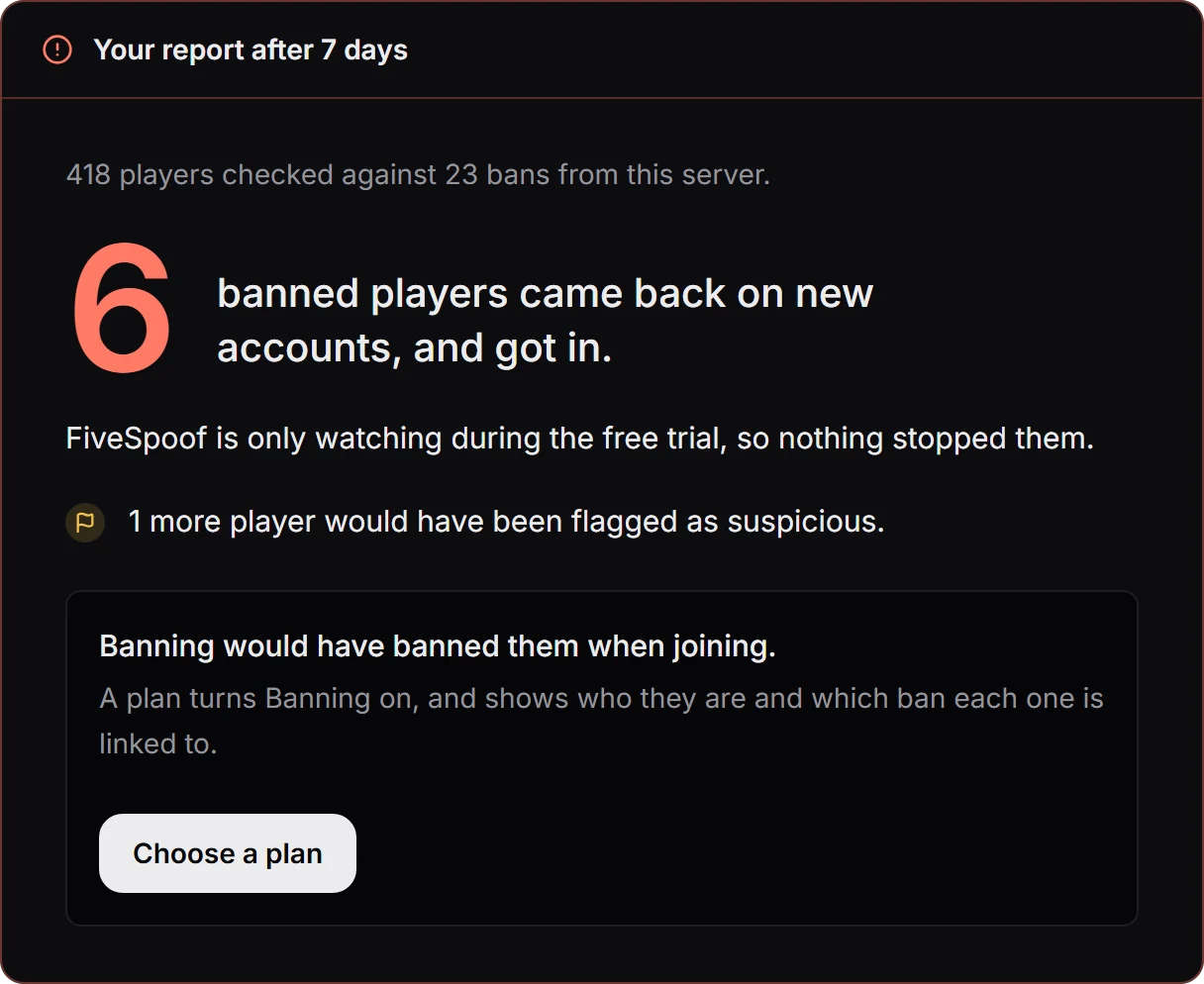
The server starts in Watching and bans nobody yet. One server with up to 48 players is free, and a bigger one runs free for 14 days. After a week your account shows how many banned players came back, and with a plan you switch to Banning.
What your players see
The first time a player joins, a short card says what is read and why, and nothing is read before they approve. A player who declines does not get in. Set the card's language and your contact in Settings under Players. A banned player sees only a code to give your staff. In a test with real players, 16 to 18 October 2026, 455 approved the card and 3 declined it without approving later.
Bans
FiveSpoof uses every ban your server makes, for any reason. It finds these ban tools by itself: txAdmin, FiveGuard, WaveShield, ElectronAC, Raven, vMenu, EasyAdmin, the QBCore and Qbox ban table, SecureServe and FIREAC. Bans from QBCore, Qbox and FIREAC are read through oxmysql.
Do you ban with something else? Your own scripts can send their bans to FiveSpoof.
Players you banned before installing: ban them once more when they come back. After that, FiveSpoof keeps them out on every new account.
Uninstall
Delete the folder, and the ensure fivespoof line if you added one. Nothing else was changed on your server.